How to submit Modelo 130
Discover a complete step-by-step guide on how to fill out Modelo 130 in Spain. This guide helps autónomos and freelancers calculate IRPF, track income and expenses, and submit quarterly declarations correctly.
Whether you’re submitting for the first time or need tips to avoid mistakes, our 2026 guide covers deadlines, deductions, and digital submission options.
Introduction
Who must submit Modelo 130? Self-employed professionals in Spain under the direct estimation regime who carry out economic activities. Modelo 130 is used to declare quarterly payments on profits obtained.
Submission and payment deadlines: Quarterly submission: Q1 (Jan–Mar) by April 20, Q2 by July 20, Q3 by October 20, Q4 by January 30 of the following year. If paying via direct debit, the amount will be withdrawn on the 20th of the month following the reported quarter.
1️⃣ Step
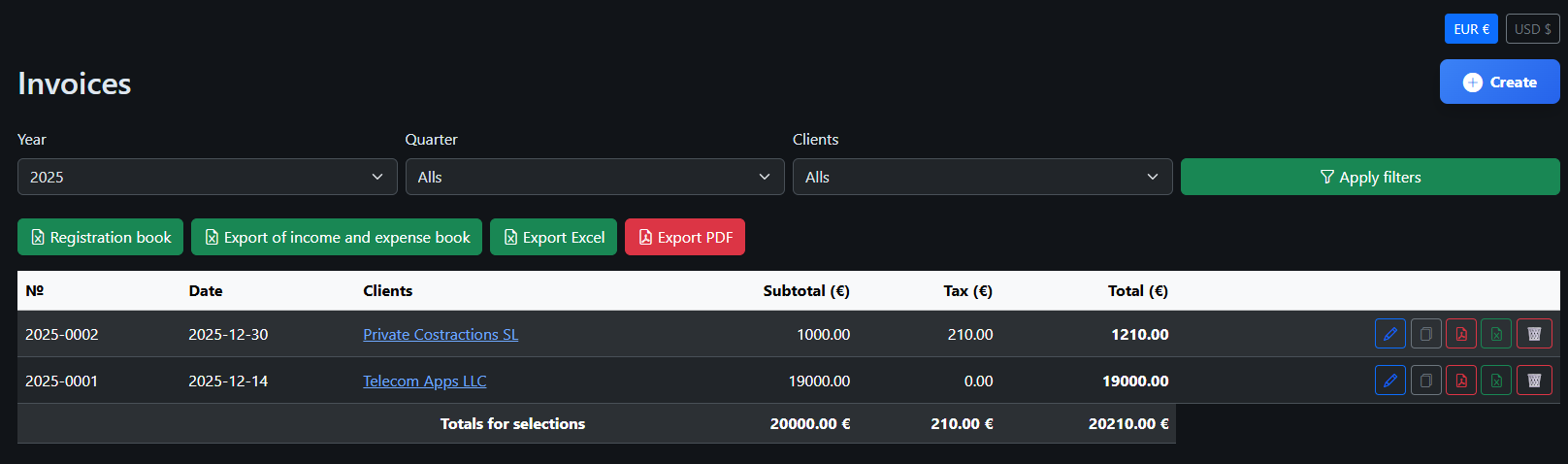
You have issued an invoice to a client in Spain for €1,000 and another to a client in the USA for €19,000. The total income is €20,000 (without VAT).
2️⃣ Step
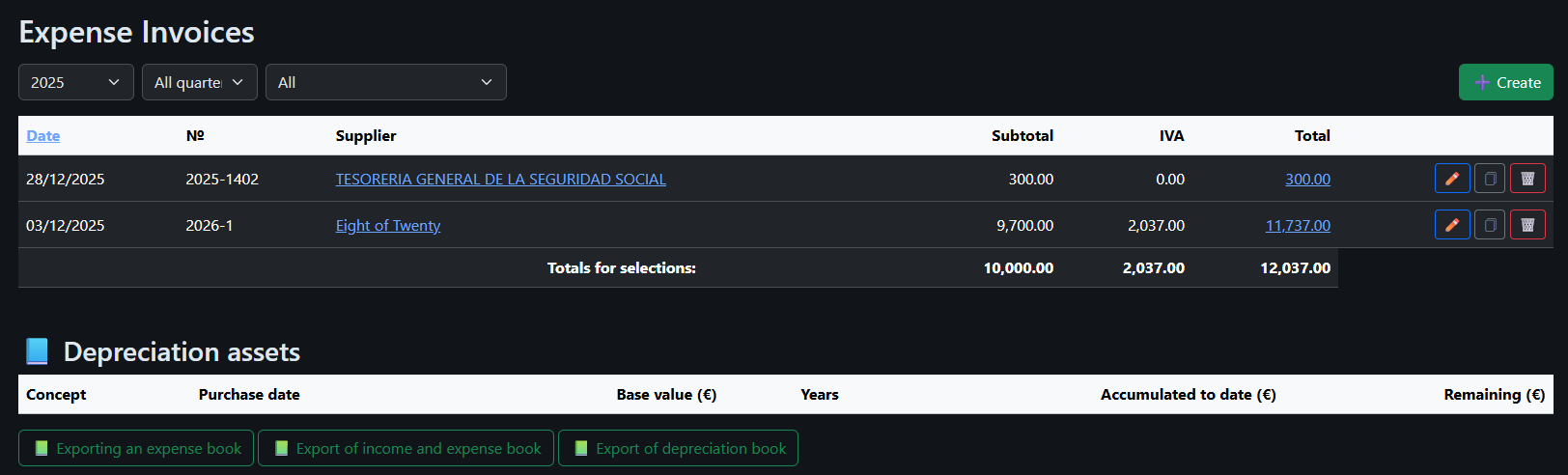
For software development, you paid an external developer €9,700 +IVA and €300 was deducted for social security contributions. The total expenses amount to €10,000.
3️⃣ Step
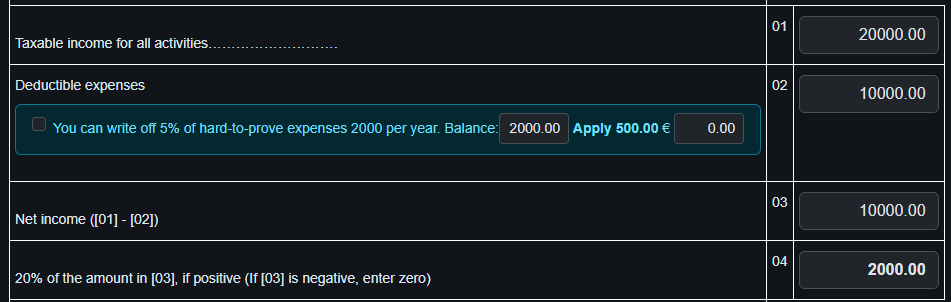
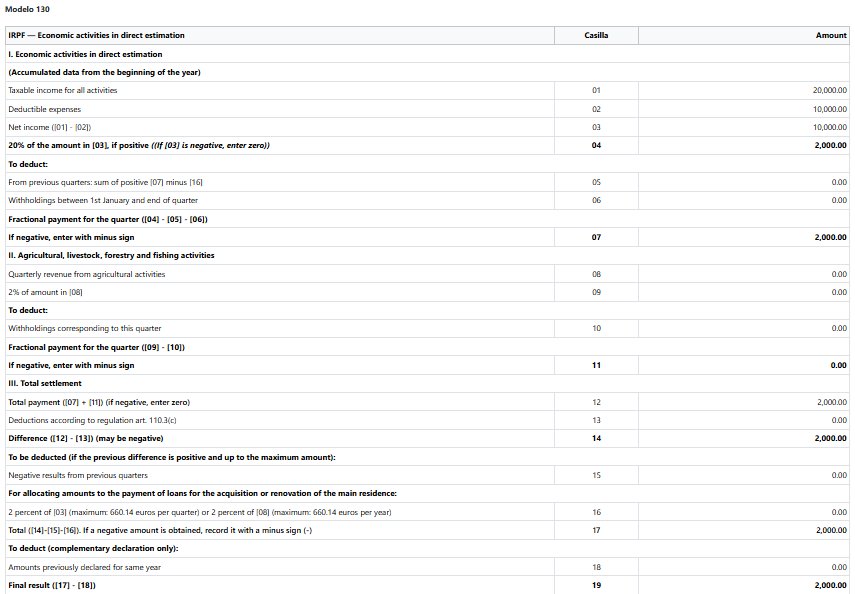
Now we will calculate the Modelo 130 declaration. The taxable base is calculated by subtracting expenses from income: €20,000 – €10,000 = €10,000.

4️⃣ Step
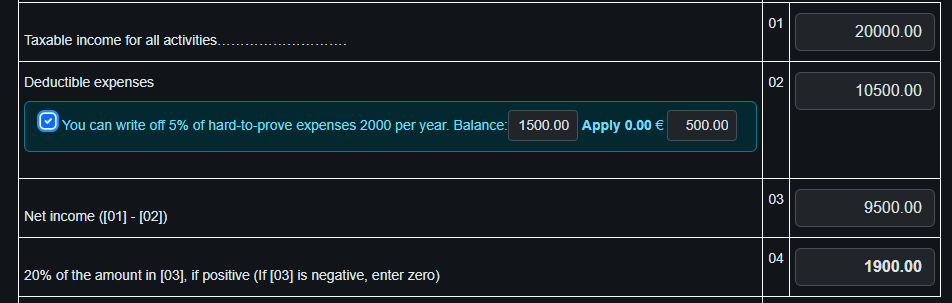
The IRPF tax will be 20% of the taxable base: 20% of €10,000 = €2,000. Additionally, you can deduct 5% of the difference between income and expenses, up to a maximum of €2,000 for hard-to-justify expenses. In this case, the deduction is €500, so the tax to pay is €1,900.
5️⃣ Step
Suppose we decided not to apply the 5% deduction and will include it in Modelo 100 instead. We saved the declaration. Now you can: -Print it (green button) -Open it for review (yellow button) -Proceed to submit (red button)

5️⃣.1️⃣ Step
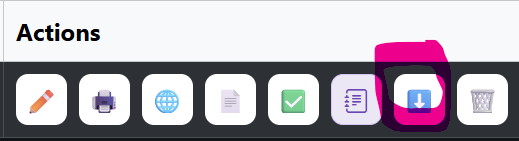
You can download the prepared declaration file to upload it in the next step. After uploading, proceed to Step 9.
6️⃣ Step
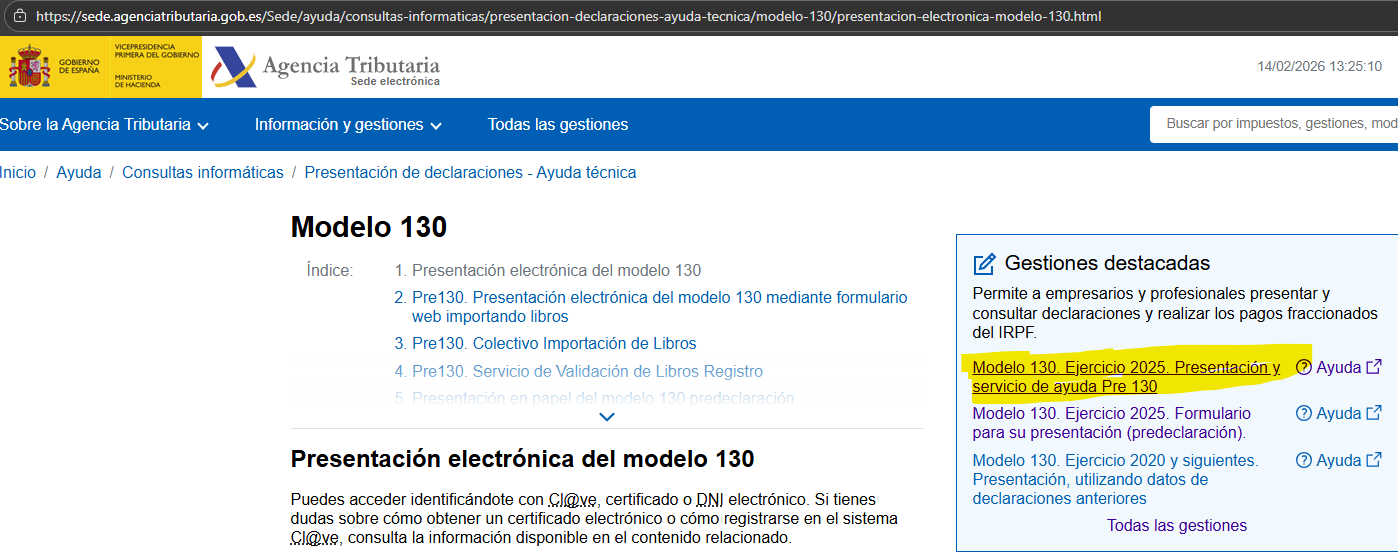
Go to the Agencia Tributaria website and select the service to submit Modelo 130. Make sure you have your digital certificate, Cl@ve PIN, or username and password ready.
6️⃣.1️⃣ Step
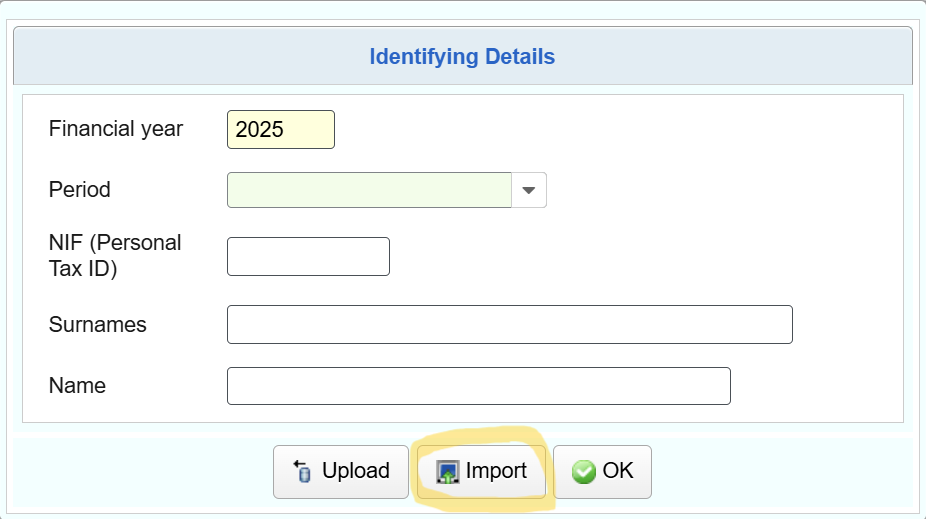
Upload the prepared declaration file to the Agencia Tributaria system.
6️⃣.2️⃣ Step
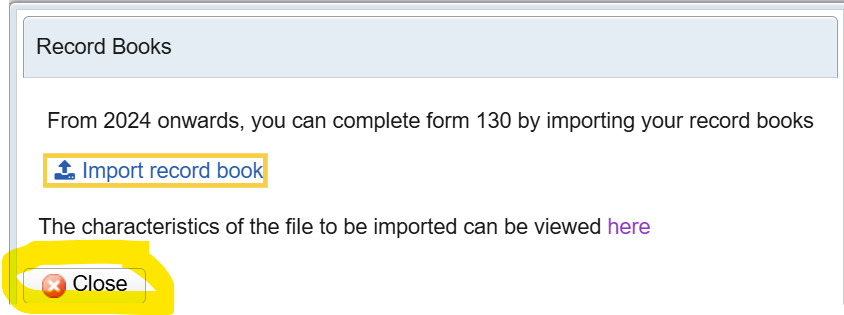
After uploading, close the upload window, verify that all data is correct, and then proceed to Step 9.
7️⃣ Step
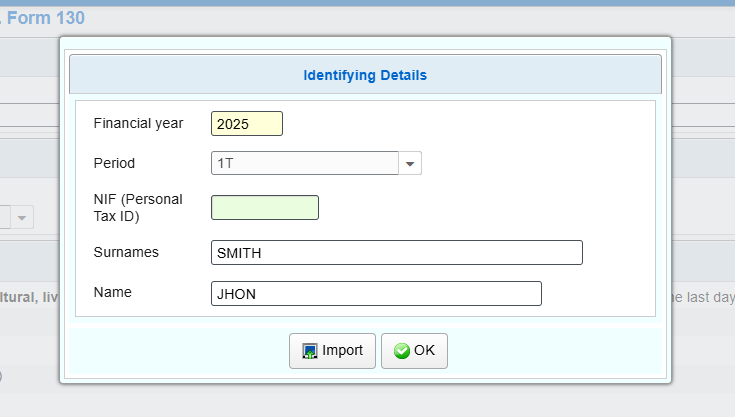
Fill in your personal details on the Agencia Tributaria form and make sure to enter the correct period for the declaration. Check that your NIF, name, and surname are correct before proceeding.
8️⃣ Step
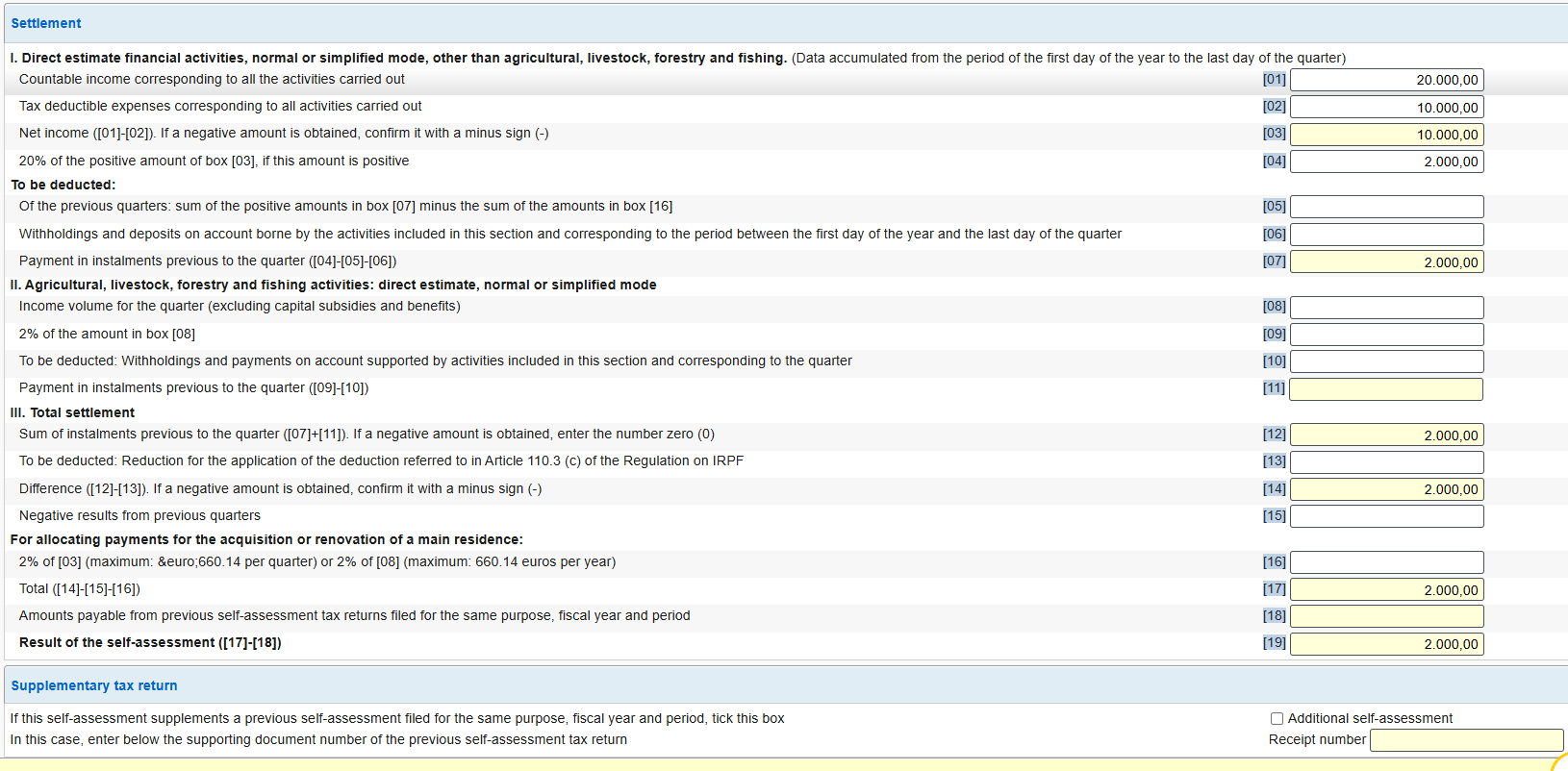
Enter the values for boxes 01 and 02 from your Modelo 130 declaration. The rest of the fields will be calculated automatically by the system.
9️⃣ Step
After filling in the fields, validate the form to ensure all data is correct and there are no errors. The system will display warnings or errors if something is incorrect.

🔟 Step
After validating the declaration, select the payment method. You can choose to pay by bank card or other available options in the system.
1️⃣1️⃣ Step
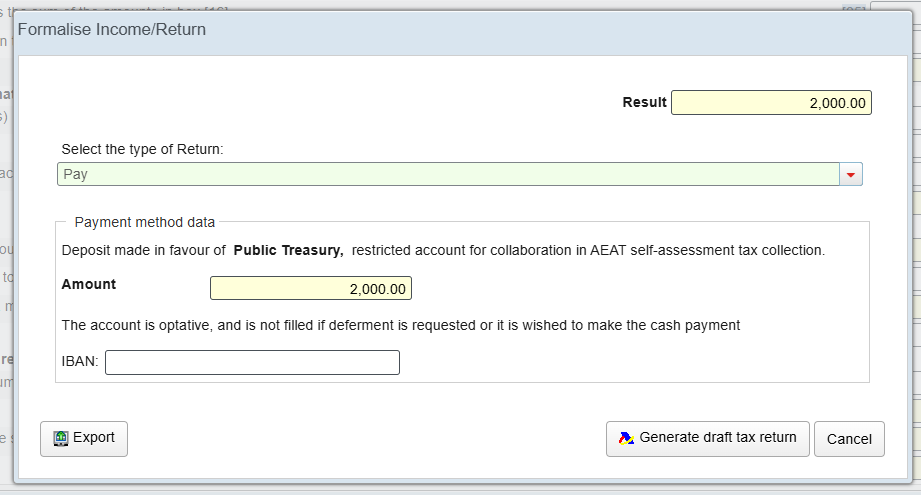
Select the payment option shown in the image to pay via direct debit. The amount will be debited on the 20th of the month following the reporting quarter.

1️⃣2️⃣ Step
The only step left is to confirm the submission. The system will send the declaration to the Agencia Tributaria and generate a PDF document that you can save.
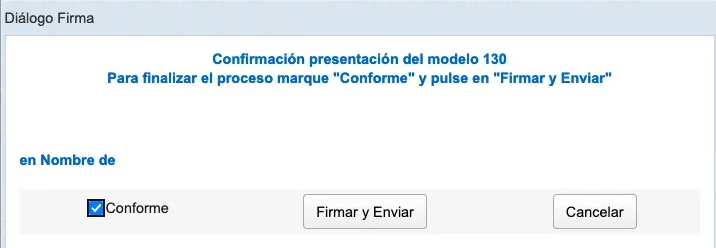 Don’t forget to mark your declaration as submitted for easier tracking in your Tax Calendar.

1️⃣3️⃣ Step
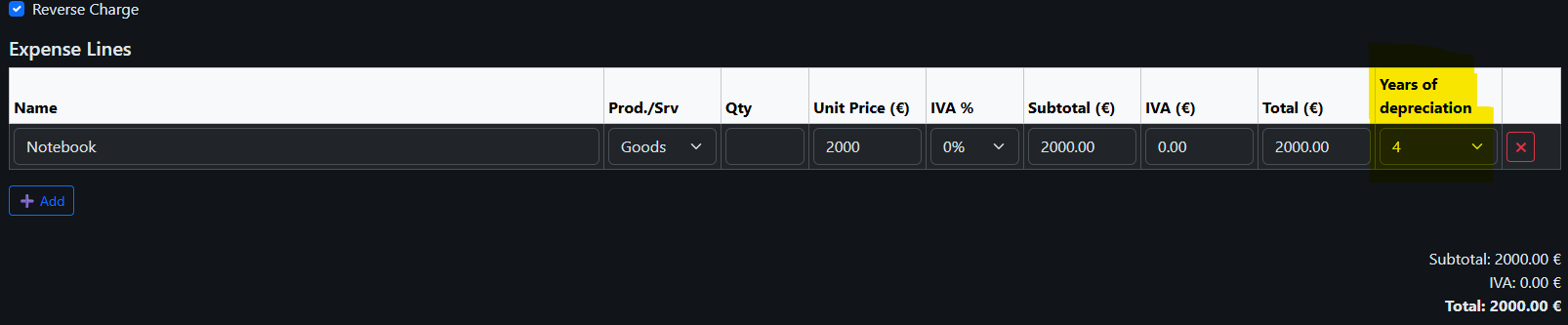
Special attention should be given to assets purchased for business purposes costing more than €300. For example, if you buy a laptop for €2,000, you cannot deduct it entirely in one year — it must be expensed gradually through amortization over 4 years.
1️⃣4️⃣ Step
The system automatically calculates the amount of amortization for each asset and this value is included in your Modelo 130 declaration.
Additionally, you can review your income and expenses in the Income and Expense Ledger (Libro de Gastos), as well as in the Amortization Ledger for assets.

1️⃣5️⃣ Step
In conclusion, it is worth noting: the Modelo 130 declaration is submitted cumulatively, quarter by quarter. All amounts are reported on an accumulating basis throughout the year.