Modelo 347 – Annual Informative Declaration
Complete guide for autónomos and small businesses
When must it be filed?
Modelo 347 must be filed between February 1 and February 28 of the following year (for example, from February 1 to 28, 2026 for the 2025 fiscal year).
How to determine what to declare in Modelo 347?
- Calculate the total annual amount of purchase and sale transactions with each supplier or client, including VAT.
- Exclude transactions with other EU countries (declared in Modelo 349).
- Exclude transactions subject to Spanish withholding tax (IRPF) already declared in Modelo 111, 190, 115 or 180.
- Exclude imports and exports of goods.
- Exclude operations where issuing an invoice is not mandatory.
- Exclude counterparties whose annual transaction amount does not exceed 3,005.06 € (VAT included).
Operations excluded from Modelo 347
- Shipments between mainland Spain or the Balearic Islands and the Canary Islands, Ceuta and Melilla.
- Operations where there is no obligation to issue an invoice (except insurance operations).
- Operations carried out outside business or professional activity (personal expenses).
- Imports and exports of goods, since this information is already available through customs authorities.
- Transactions carried out free of charge that are not subject to or are exempt from VAT.
- Operations already declared in periodic informative tax returns such as Modelo 111, 115, 180, 190 and 349.
Import and export of services with non-EU countries must be declared, as this information is not reported elsewhere.
Conclusion
If, after applying these steps, the total annual amount with a counterparty exceeds 3,005.06 € and does not fall under any exclusion, it must be included in Modelo 347.
Following this structured approach allows autónomos and small businesses to correctly identify reportable transactions and avoid filing errors.
How to submit Modelo 347
1️⃣ Review your sales
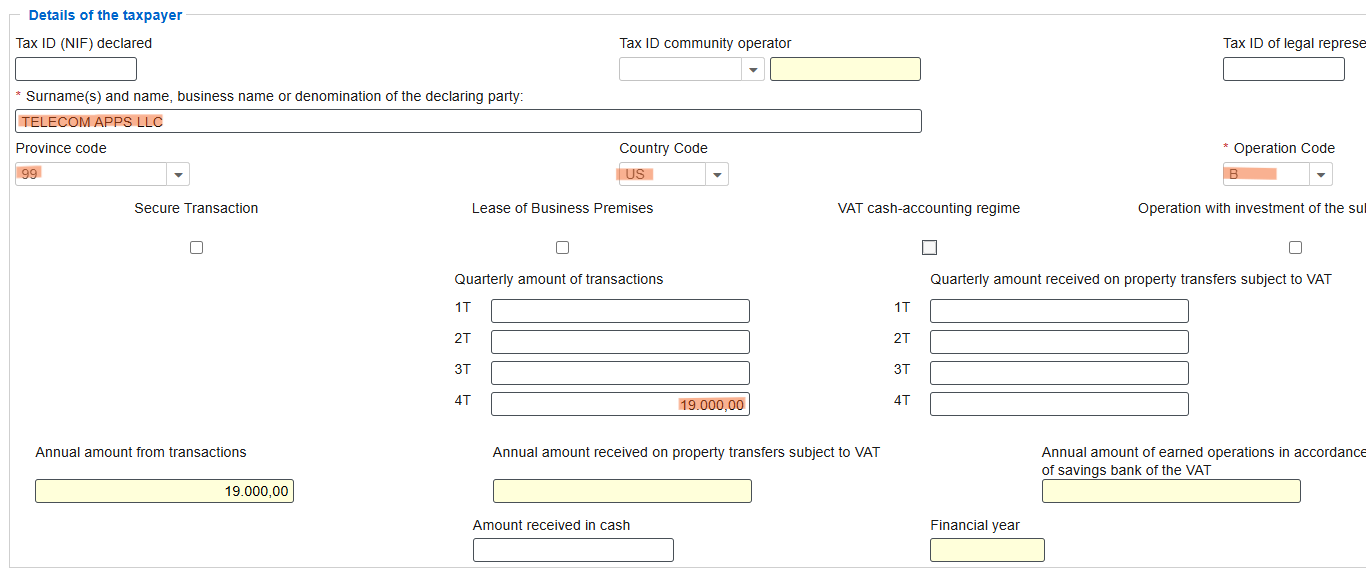
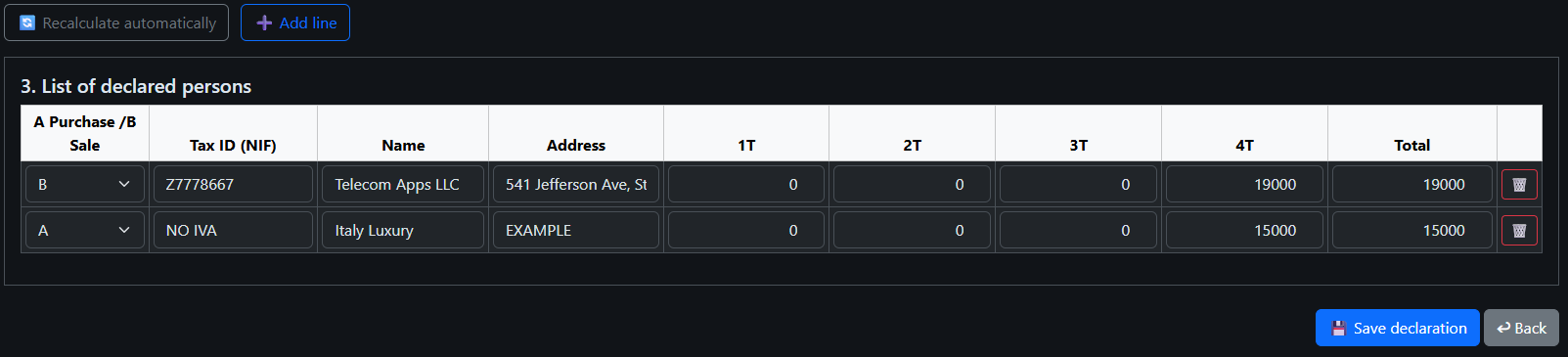
Let's review your sales. You have issued an invoice to a client in the Netherlands for €4,500 and an invoice to a client in the USA for €19,000.
Only the invoice for the USA client (€19,000) is included in Modelo 347, as the Netherlands client is registered in ROI and this transaction is reported in Modelo 349.
| Client / Country | Amount (€) | Include in Modelo 347? |
|---|---|---|
| Netherlands | 4,500 | No – declared in Modelo 349 |
| USA | 19,000 | Yes – include in Modelo 347 |

2️⃣ Review your purchases
Now let's review your purchases.
We paid a developer in Spain €11,737 including 21% VAT.
This transaction is not included in Modelo 347 because it is already reflected in Modelo 303.
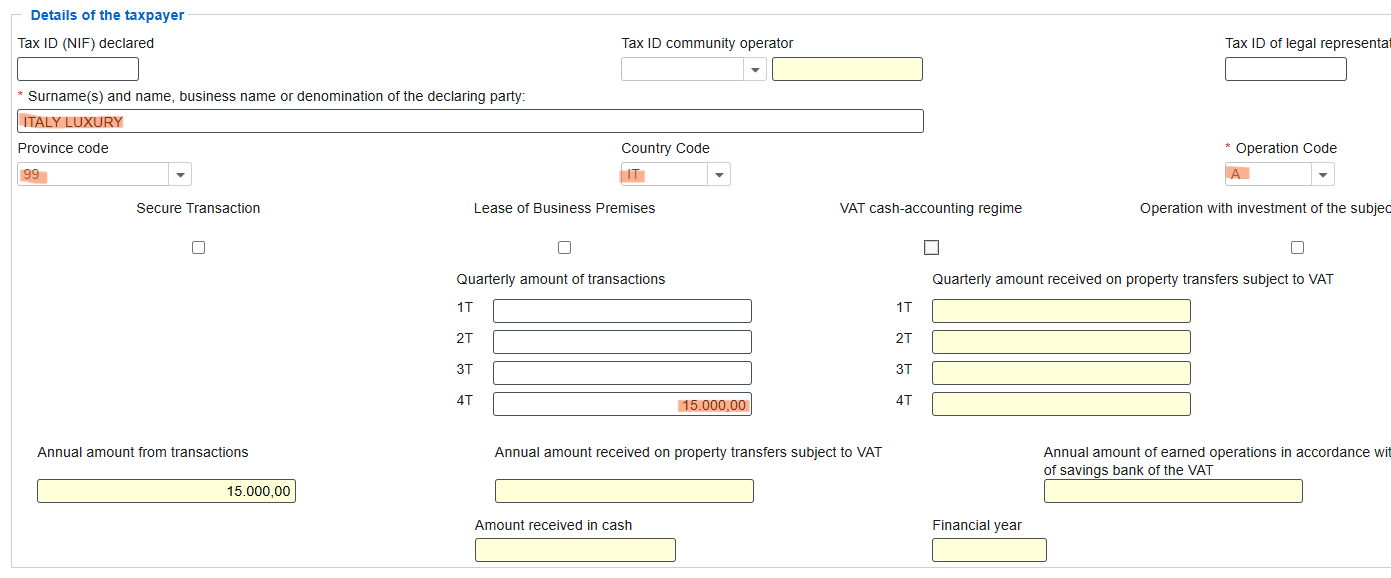
We purchased furniture from a manufacturer in Italy not registered in ROI for €15,000.
This transaction must be included in Modelo 347.
| Supplier / Country | Amount (€) | Include in Modelo 347? |
|---|---|---|
| Spanish developer | 11,737 | No – declared in Modelo 303 |
| Italian furniture manufacturer ROI - NO (or Our Autonomo ROI-NO) | 15,000 | Yes – include in Modelo 347 |

3️⃣ Create a new Modelo 347 declaration
Next, create a new Modelo 347 declaration.

- Select the year and click recalculate automatically.
- The declaration will be filled automatically.
-
Review the data carefully.
If necessary, you can manually add or edit entries. - Save the declaration.
- Open the saved declaration and proceed to electronic submission.

4️⃣ Step 4
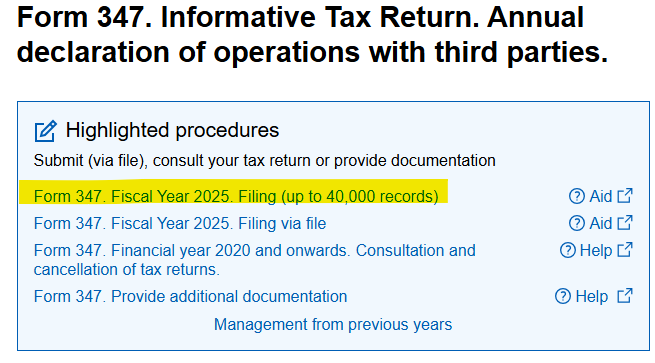
- Follow the selection as shown in the image.
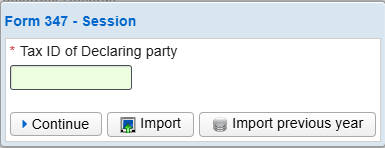
- Enter your NIE/NIF.
- Fill in your personal details.
- Click Add Record.
- Review your declaration and fill in the corresponding boxes.
- For non-Spain provinces, set Province code to 99.
- First, enter sales. Use Operation code B.
- Then enter purchases. Use Operation code A.
- Return to page 1.
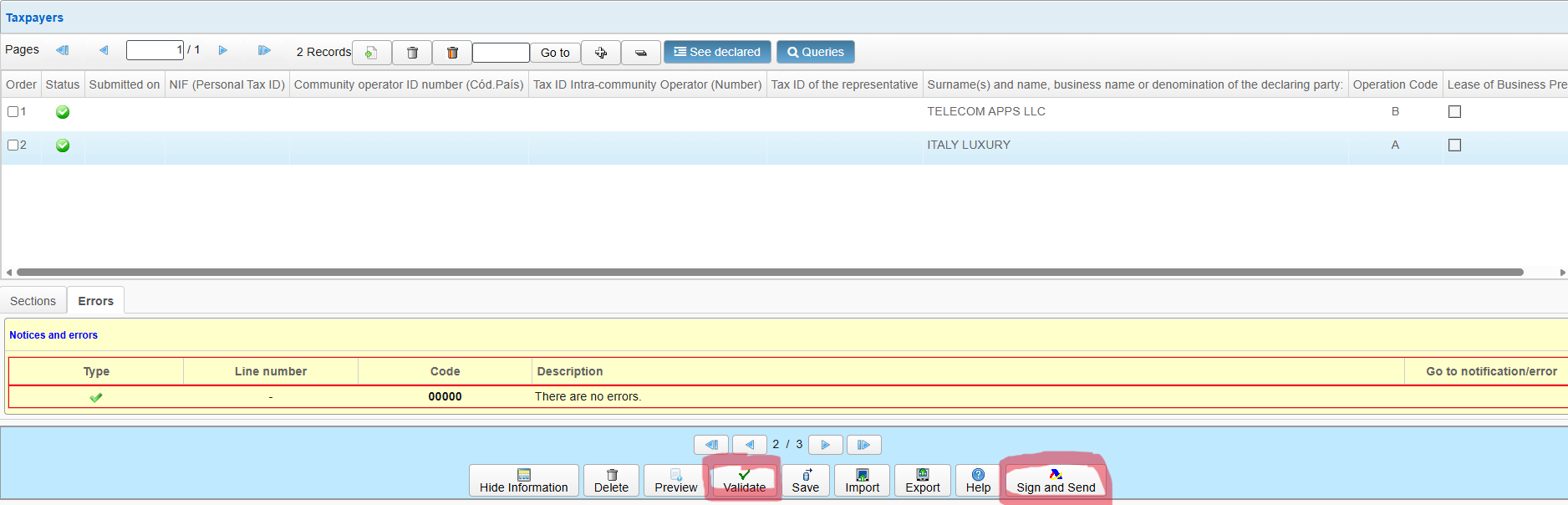
- Validate the form.
- Submit and sign the declaration.
- Finally, download the PDF file.